Animating YouTube Videos with HyperFrames and Claude Code
Blog post #33
Today the visual side of my YouTube plan stopped being theoretical. I’ve got a working pipeline where I can build my own animations — intros, spec cards, outros — and lay them as overlays on top of my HeyGen avatar videos. And the whole thing is driven from Claude Code.
The last post (#32) ended with me saying I didn’t want to automate the look. I wanted to roll up my sleeves and build something that felt like me. This is the first concrete step in that direction.
What I learned today
I went from zero understanding of motion graphics to a working local studio in a single session. The tool is HyperFrames — a framework for building videos as HTML/CSS/JS compositions, rendered headlessly to MP4. It’s what a few YouTubers in the AI-tools space are using, and the interesting part is that it composes like a web app. Which means Claude Code can actually write my animations.
The pipeline ended up being:
- ElevenLabs — generate the narration.
- HeyGen — generate a clean avatar video from the narration. No mistakes to cut out.
- HyperFrames — build intro, spec cards, and outro as HTML compositions, and overlay them on the HeyGen video.
- YouTube — publish.
The “HyperFrames” step is the one I had no idea how to approach yesterday. Now I have a repeatable template for it.
What shipped
- A full local setup of the HyperFrames monorepo, the CLI, FFmpeg, Bun, and a headless Chrome shell — all working on Windows.
- Nate Herk’s student kit cloned in, which includes twelve real reference projects I can read like a textbook.
- A first project scaffolded for my channel:
3-minutes-heygen-eng, with three composition files —intro.html,spec-card.html, andoutro.html. - Branding baked into CSS custom properties: Two Minds colors (amber
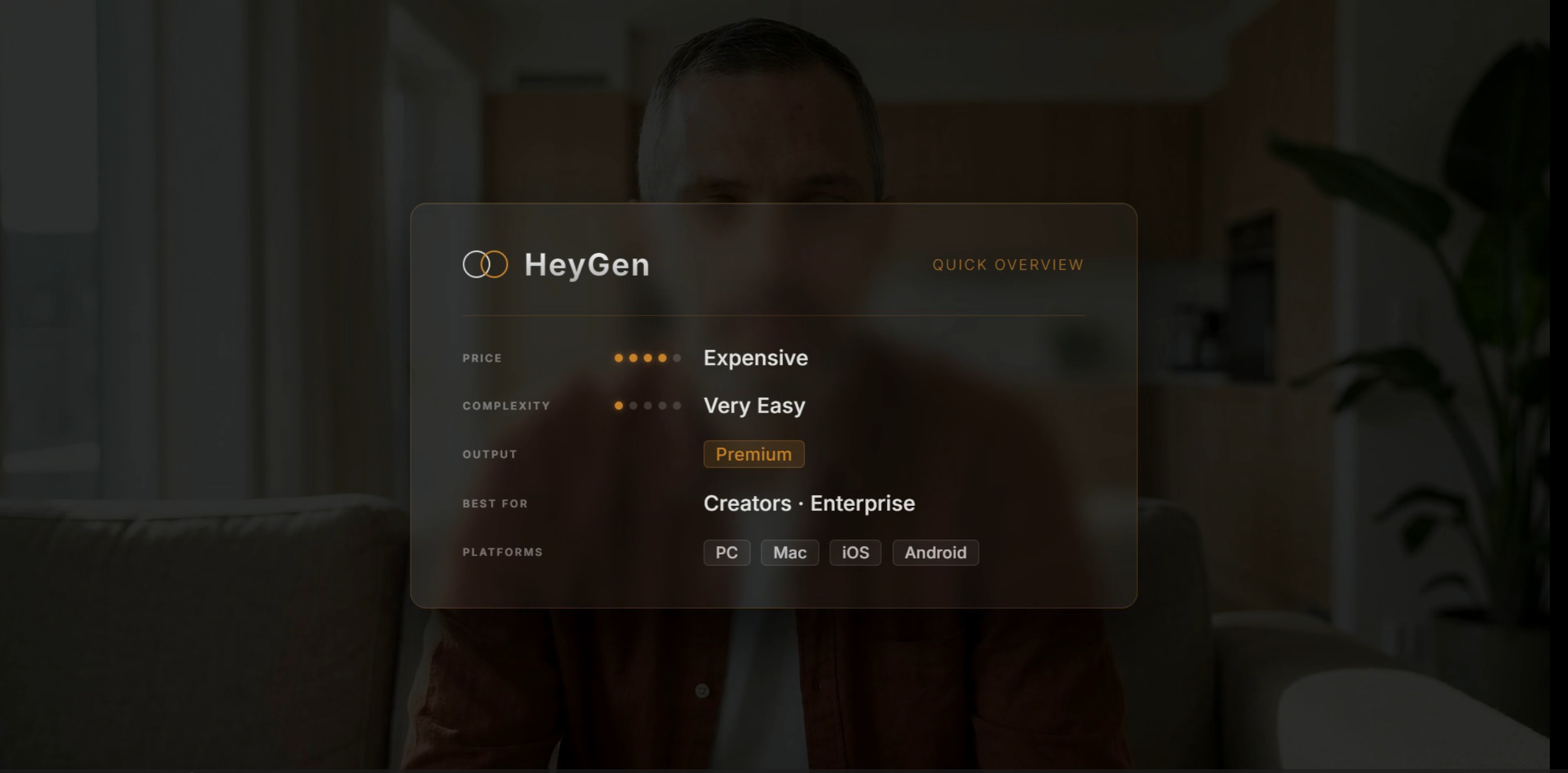
#C8832A, chrome gradient on black), Inter typography, and the double-circle Venn logo. - A format for the “3 minutes about an AI tool” series: five sequential spec pills — Price, Complexity, Output, Best For, Platforms — each visible for ~3.6 seconds in a GSAP timeline.
What’s working
hyperframes previewruns a local studio onhttp://localhost:3002. I can watch my compositions play back in real time while Claude Code edits the HTML.- Claude Code as the motion designer. I describe what I want (“amber pill, bottom-left, slides in from below, dwell 3s, fade out”), and it writes the GSAP timing against the existing brand tokens. This is the unlock.
- The separation between HeyGen (content) and HyperFrames (polish). The avatar is the baseline; the overlays make it feel like a show instead of an AI demo.
What’s unclear or broken
- Docker is installed but I haven’t actually rendered to MP4 yet — preview is enough to iterate, but the final composite still needs the rendering step proven end-to-end.
- Shorts format (9:16) isn’t set up yet. The current template is 1920×1080.
- I hit a real bug in the published HyperFrames npm package: the studio would spam a warning about a missing
runtime/entry.tsfile in a loop. Turned out the build script called esbuild without first checking if the source file existed in the installed package. Patched it with anexistsSyncguard in three places — the core source, the monorepodist, and the npm-installed copy inAppData. Studio now boots cleanly.
Decisions made
- Stay in HTML/CSS, not After Effects. The whole point of HyperFrames for me is that it’s a web stack. That’s the medium I can iterate in fastest with Claude Code. After Effects would be the wrong tool — beautiful, but Claude can’t author it.
- One project folder per episode. Each episode gets its own directory with its own
index.html, its own compositions, and its own timing. The series shares CSS tokens but not files. - Always start
hyperframes previewfrom the project folder, not from the monorepo root. Running it from the wrong place silently loads the wrong project, which cost me some time before I understood what was happening.
Tooling & process
The meta-lesson: Claude Code fits motion graphics surprisingly well, because HyperFrames reframes “animation” as “a small web app that happens to be 180 frames long.” Everything that makes Claude Code good at building UIs — writing CSS, tuning easing curves, sequencing state over time — maps directly onto this.
The thing that was holding me back yesterday was that I couldn’t picture the visual step. Today I can picture it, because it’s just code.
Next: render one episode all the way through, from ElevenLabs script to published YouTube video. Then I’ll know if the pipeline actually survives contact with a real upload.
— Stefan